
| Vendor/Brand | Tenda |
| Model | HG1 |
| CPU | Realtek RTL9601D |
| DRAM | 32 MB |
| Flash Size | 8 MB |
| CPU Arch | MIPSBE Realtek Lexra |
| CPU Clock | 300MHz |
| Bootloader | U-Boot RSDK 2011 |
| System | Linux 2.6 |
| Optics | SC/APC |
| IP address | 192.168.1.1/24 |
| Web Gui | ✅ user admin, password admin |
| SSH | ❌ |
| Telnet | ✅ |
| FTP | ❌ |
| Serial | ✅ |
| Serial baud | 115200 |
| Serial encoding | 8-N-1 |
| Form Factor | ONT |
Hardware Revisions
- V2.0 (Black Case)
- V3.0 (White Case)
External/Internal Photo
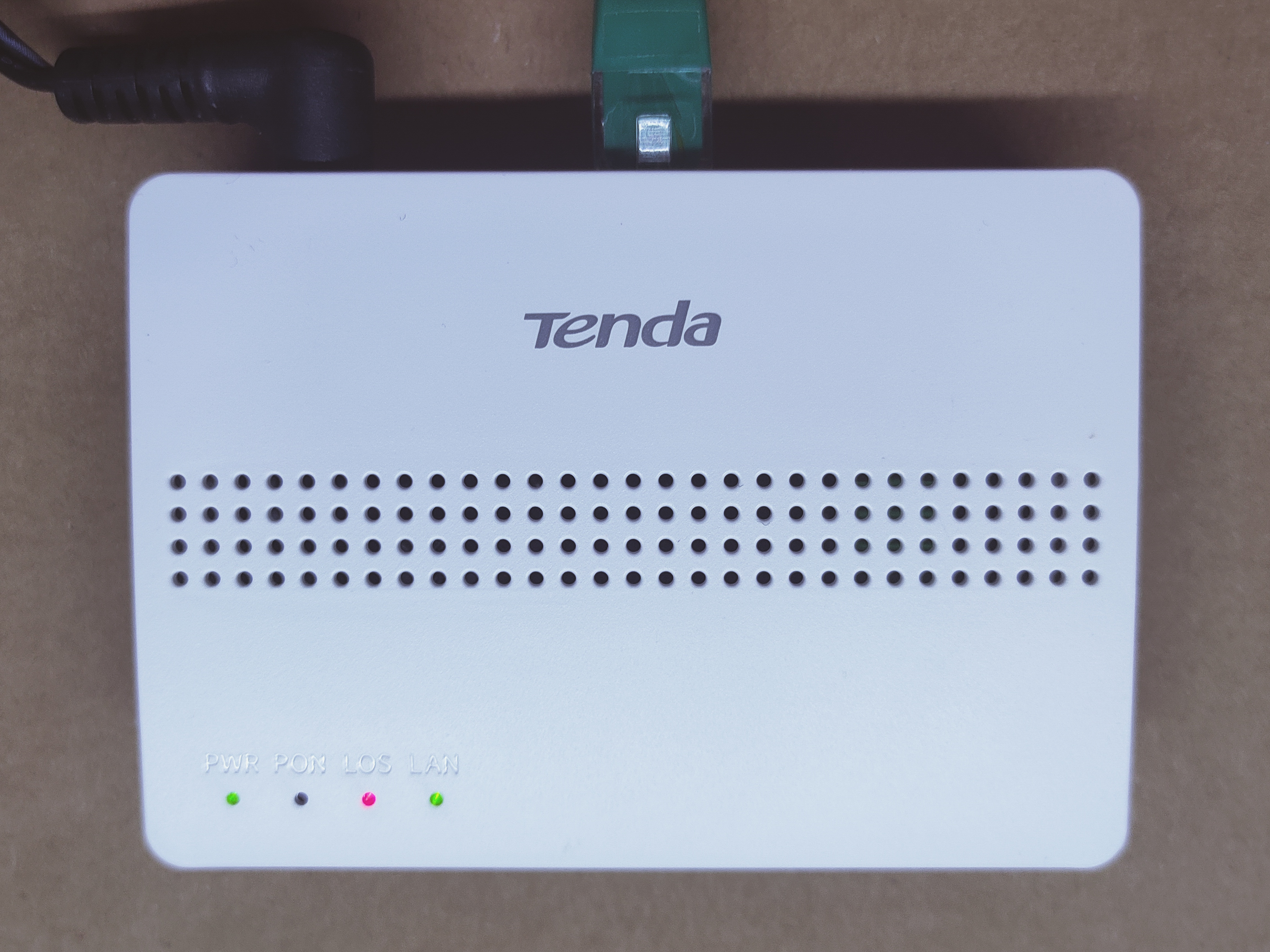
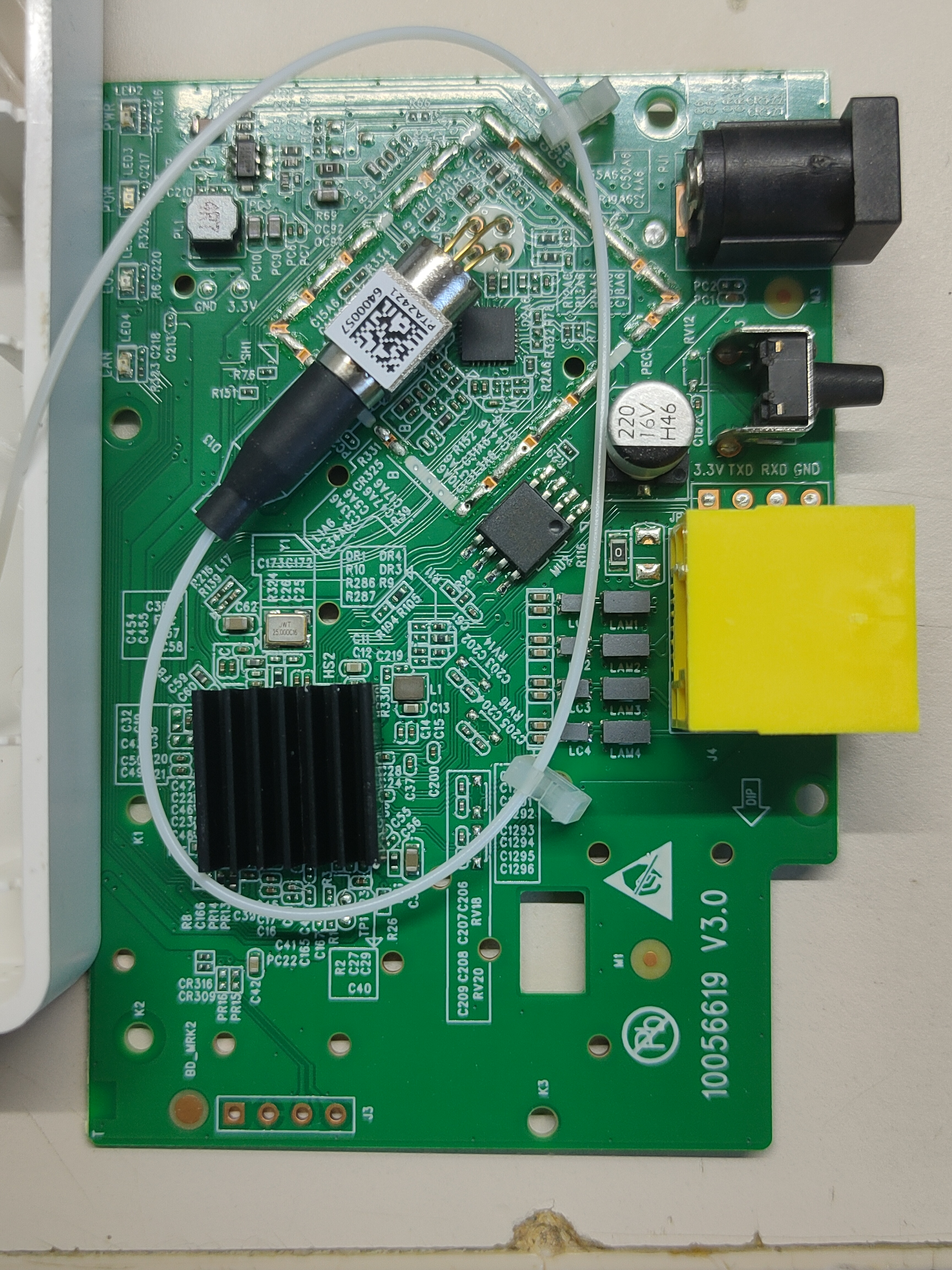
List of software versions
- V1.0.2
List of partitions
| dev | size | erasesize | name |
|---|---|---|---|
| mtd0 | 00040000 | 00001000 | "boot" |
| mtd1 | 00002000 | 00001000 | "env" |
| mtd2 | 00002000 | 00001000 | "env2" |
| mtd3 | 0002c000 | 00001000 | "config" |
| mtd4 | 00140000 | 00001000 | "k0" |
| mtd5 | 00288000 | 00001000 | "r0" |
| mtd6 | 00140000 | 00001000 | "k1" |
| mtd7 | 00288000 | 00001000 | "r1" |
| mtd8 | 00001000 | 00001000 | "Partition_008" |
| mtd9 | 00001000 | 00001000 | "Partition_009" |
| mtd10 | 00001000 | 00001000 | "Partition_010" |
| mtd11 | 00001000 | 00001000 | "Partition_011" |
| mtd12 | 00140000 | 00001000 | "linux" |
| mtd13 | 00288000 | 00001000 | "rootfs" |
This ONT supports dual boot.
k0 and r0 respectively contain kernel and firmware of the first image, while k1 and r1 contain kernel and firmware of the second one.
Useful files and binaries
Useful files
/var/config/lastgood.xml- Contains the user portion of the configuration/tmp/omcilog- OMCI messages logs (must be enabeled, see below)
Useful binaries
flash- Used to manipulate the config files in a somewhat safe mannerxmlconfig- Used for low-level manipulation of the XML config files. Called byflashnv- Used to manipulate nvram storage, including persistent config entries vianv setenv/nv getenvomcicli- Used to interact with the running OMCI daemonomci_app- The OMCI daemondiag- Used to run low-level diagnostics commands on the stick
GPON ONU status
Getting the operational status of the ONU
diag gpon get onu-stateQuerying a particular OMCI ME
# omcicli mib get MIB_IDXGPON/OMCI settings
Getting/Setting ONU GPON Serial Number
# flash get GPON_SN
GPON_SN=TMBB00000000
# flash set GPON_SN TMBB0A1B2C3D
Getting/Setting ONU GPON PLOAM password
Note
The PLOAM password can be saved in either ASCII or HEX format, without any 0x or separators
# flash get GPON_PLOAM_PASSWD
GPON_PLOAM_PASSWD=AAAAAAAAAA
# flash set GPON_PLOAM_PASSWD AAAAAAAAAA
# flash set GPON_PLOAM_PASSWD 41414141414141414141
Getting/Setting OMCI software version (ME 7)
# nv setenv sw_custom_version0 YOURFIRSTSWVER
# nv setenv sw_custom_version1 YOURSECONDSWVER
Getting/Setting OMCI hardware version (ME 256)
# flash get HW_HWVER
HW_HWVER=V2.0
# flash set HW_HWVER MYHWVERSION
Getting/Setting OMCI vendor ID (ME 256)
# flash get PON_VENDOR_ID
PON_VENDOR_ID=ZTEG
# flash set PON_VENDOR_ID HWTC
Getting/Setting OMCI equipment ID (ME 257)
# flash get GPON_ONU_MODEL
GPON_ONU_MODEL=DFP-34X-2C2
# flash set GPON_ONU_MODEL DFP-34X-XXX
Getting/Setting OMCI OLT Mode and Fake OMCI
Configure how ONT Stick handle OMCI from OLT:
# flash get OMCI_OLT_MODE
OMCI_OLT_MODE=1
# flash set OMCI_OLT_MODE 2| Value | Note | OMCI Information |
|---|---|---|
| 0 | Default Mode | Stock setting, some values cannot be changed |
| 1 | Huawei OLT Mode | Huawei MA5671a |
| 2 | ZTE OLT Mode | ZTE |
| 3 | Customized Mode | Custom Software/Hardware Version, OMCC, etc... |
Some vendors/wholesale providers/ISPs have explicit LAN Port Number provisioning or proprietary OMCI that the stick cannot understand, this will make the stick reply OK to whatever the OLT sends it via OMCI.
0 = Disable, 1 = Enable, Default is 0
# flash get OMCI_FAKE_OK
OMCI_FAKE_OK=0
# flash set OMCI_FAKE_OK 1
Advanced settings
Setting management IP
# flash get LAN_IP_ADDR
LAN_IP_ADDR=192.168.2.1
# flash set LAN_IP_ADDR 192.168.1.1
Getting/Setting the L2 Bridge MTU
Note
Settings given via diag are not permanent after reboot
Getting/Setting the MTU of the L2 bridge
# diag switch get max-pkt-len port all
Port Speed
----------
0 1538
2 2031
# diag switch set max-pkt-len port all length 2000
Checking the currently active image
# nv getenv sw_active
sw_active=1
# nv getenv sw_version0
sw_version0=V1_7_8_210412
# nv getenv sw_version1
sw_version1=V1_7_8_210412
Booting to a different image
# nv setenv sw_commit 0|1
# reboot
Advanced Configuration
Enabling telnet
Default configuration restricts telnet to WAN interface only. To re-enable it new entry has to be added into Admin -> ACL Configuration or edited inside exported XML configuration by hand.
Hidden Web Gui config page
Device has a hidden page http://192.168.1.1/tddeviceinfo.asp for configuring OMCI parameters, MAC and XPON switch.
OMCI equipment ID (ME 257) and OMCI hardware version (ME 256) are hardcoded into /etc/version.sh and /bin/startup requiring a firmware patch to change.
WAN backdoor account
There are hardcoded credentials for WAN user, it's recommended WWW and Telnet are disabled on and this second password changed.
<Value Name="WAN_USER_NAME" Value="tendaxpon"/>
<Value Name="WAN_USER_PASSWORD" Value="XPON#TDWLD"/>